CHOOSEBusiness workflows
Jev AI Decision Model

Good AI@GoodUseOfAI
Jev AI is a 'System One Model' designed for fast, structured decisions within software, functioning as a sorter rather than a writer by choosing from predefined answers based on context and a narrowly defined question.
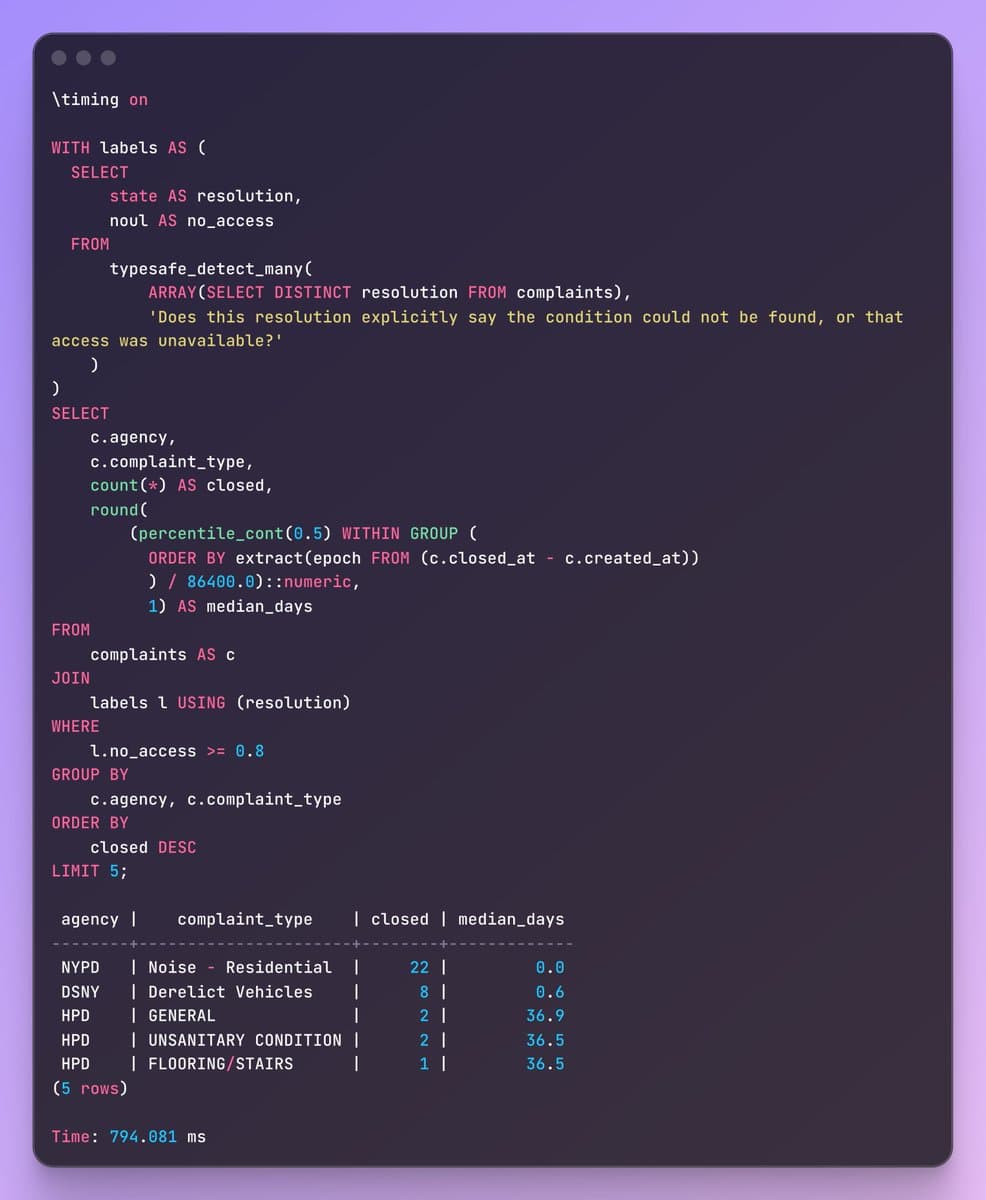
TakeIt returns a choice, a score against your rubric, or a probability for a true/false statement.
Pattern↑ State to typed decisions for software
Jev AI is getting attention for something surprisingly small: choosing an answer instead of writing one.
What is it—and would you actually use it?
Here’s the beginner-friendly explanation.
1. Think of a sorter, not a writer.
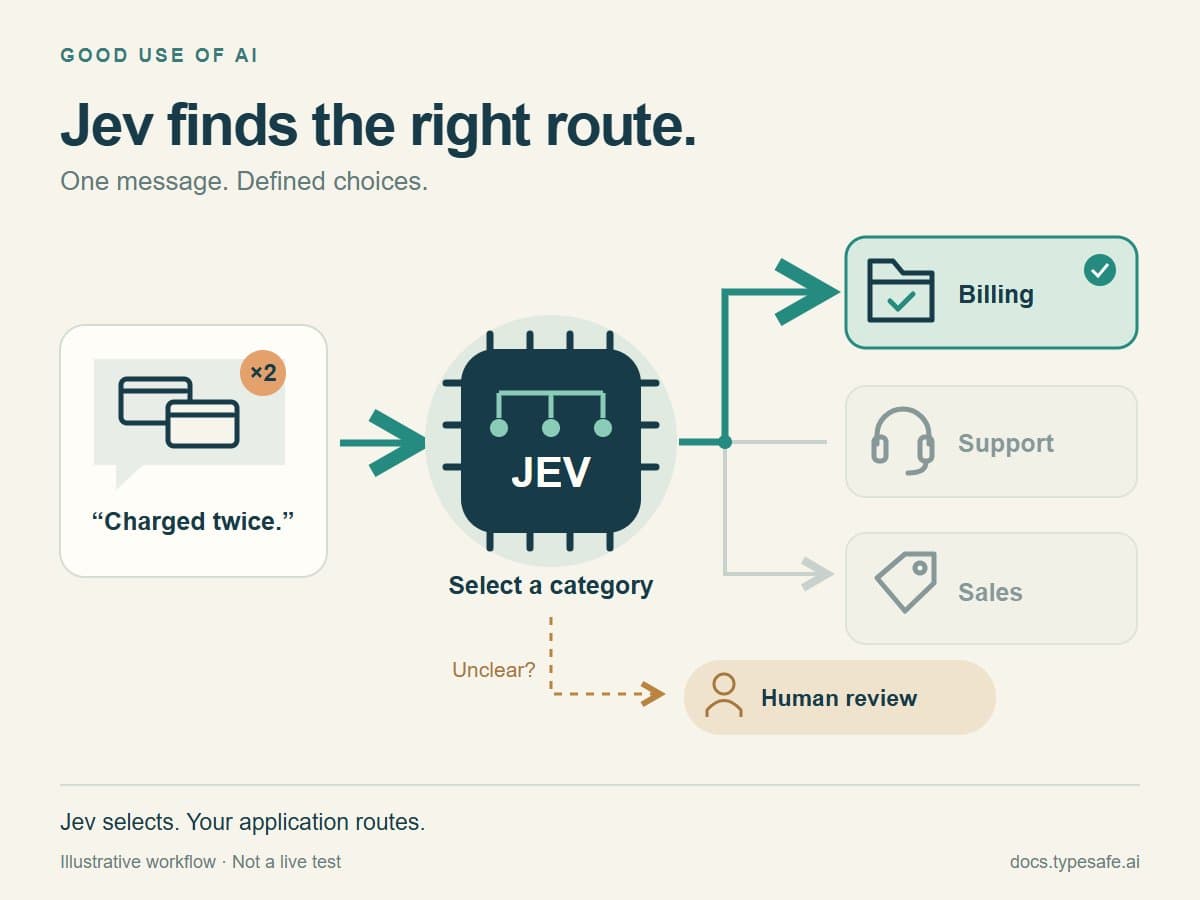
A customer says: “I was charged twice.”
A writing model can draft a reply. Jev can help decide whether that message belongs in Billing, Technical Support, or Sales.
Your software then routes it. Jev does not, by itself, open your inbox or issue a refund.
Built by TypeSafe AI, Jev is what the company calls a “System One Model”—a model designed for fast, structured decisions inside software.
You give it context and a narrowly defined question. It returns a choice, a score against your rubric, or a probability for a true/false statement. It does not write a conversational response.
2. Why are people noticing it?
Automated workflows make many small judgments:
Which team should receive this?
How urgent is it?
Should the workflow continue, retry, ask someone, or stop?
TypeSafe reports up to 193.6× faster and 444.6× cheaper performance than LLMs in its own workflow evaluations.
The important qualifier: those are vendor-reported results for particular workloads, not a guarantee for your work.
There is an early adoption signal, too. Vercel says nearly 13% of its AI Gateway paid teams used Jev within its first 24 hours on the platform—the fastest model launch by that measure.
That is initial uptake on one platform, not worldwide market share or proof of lasting value.
3. What might using it look like?
For the fictional billing message:
Jev selects the category.
Your application sends it to the appropriate queue.
A writing model drafts a reply using approved facts.
A person reviews cases that need attention.
Ordinary language models can classify messages too. Jev’s proposition is specialization—not that classification was impossible before it.
And if a simple rule already solves the problem, keep the rule. You don’t need AI to check whether a number exceeds a fixed limit.
4. How can you try it?
Start at the official TypeSafe Playground:
console.typesafe.ai/playground
Sign in and check your account’s access. Then:
• Enter a fictional message as the context, called “state.”
• Add one Choice question: “Which team should handle this?”
• Define the available categories clearly.
• Inspect the result and try less obvious examples.
For example: “I was charged twice, and I can’t log in.”
Before judging the answer, decide how your workflow should handle two different requests. A neat category is not useful if half the problem disappears.
For ongoing automation, developers can connect through TypeSafe’s API/SDK or Vercel AI Gateway. Trying the Playground and connecting a business inbox are different steps.
5. What’s the catch?
A well-formatted answer can still be wrong.
Jev’s Choice/Score confidence reflects how concentrated its answer probabilities are. A confidence value of 0.9 is not automatically “90% correct on my tasks.”
Test it against examples with known answers, including ambiguous ones. Compare mistakes, review effort, speed and cost with your current approach.
Keep permissions and important actions under your application’s control. A predicted category is not authorization to act.
The takeaway:
Use a writing model when you need words.
Consider a decision model when the possible answers are already defined.
The useful question isn’t “Can Jev replace my chatbot?” It’s “Which repeated decision in my workflow is worth testing it on?”